Your data: exports, SARs and leaving
Download everything as a ZIP with photos, answer a parent's subject-access request in one tap, check retention minimums, and delete your account safely.
3 min read
Your records are yours to take
Everything you hold in MinderHQ — children's records, registers, diaries, accident and medicine records, consents, messages with parents, invoices and funding — is yours to download at any time. If you ever leave, you can take a complete copy with you. That is the no-lock-in promise.
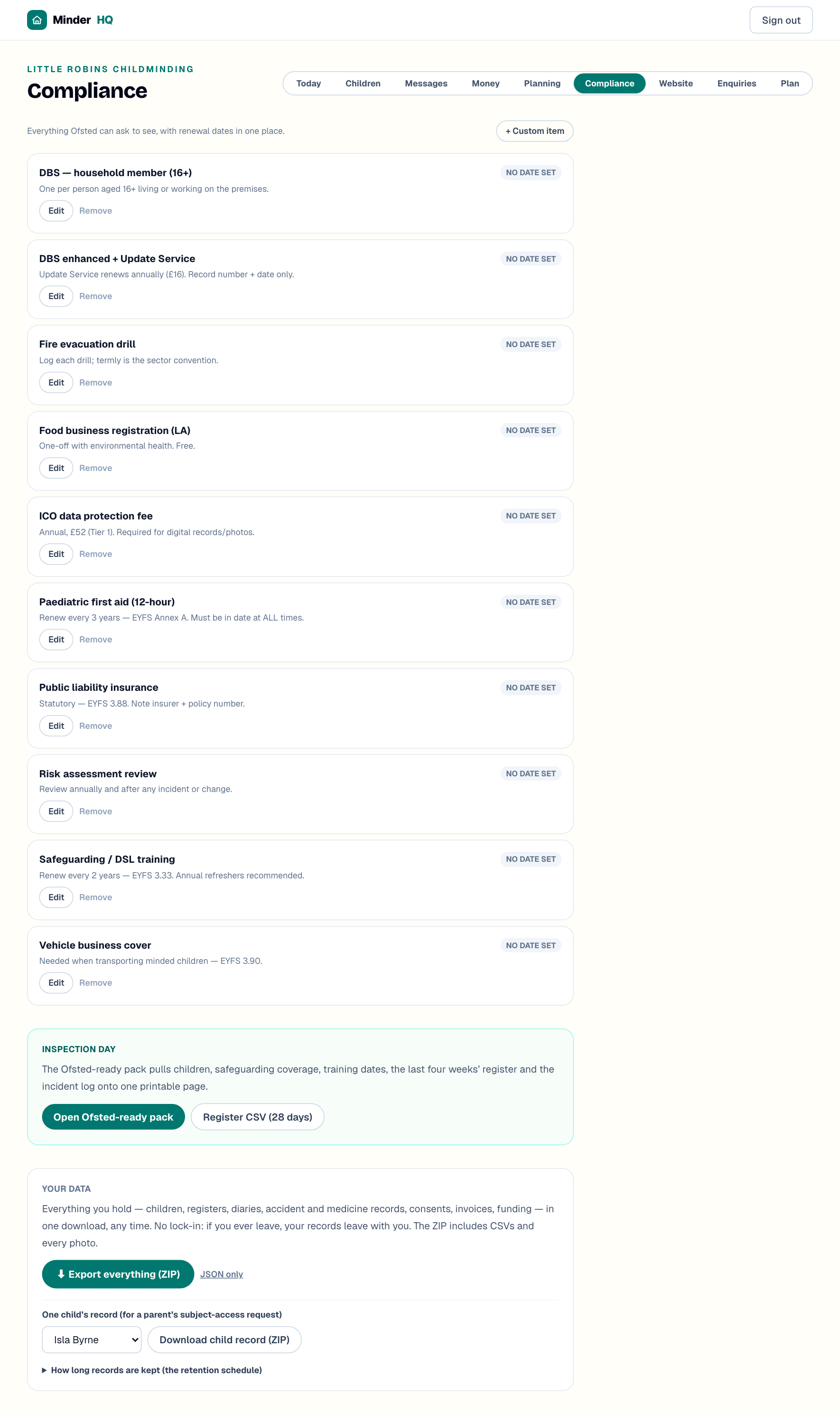
It all lives in one place: the "Your data" card at the bottom of "Compliance". In the app, the Today tab is native — tap "Manage" to open these same views.
Export everything as one ZIP
The ZIP holds your complete record three ways: a full data file (JSON), friendly CSVs that open in Excel, and every photo as a real image file. If you only want the raw data, tap "JSON only" instead.
If photo storage is having a wobble, the export stops and asks you to try again in a minute — it never quietly hands over an archive with photos missing.
- 1Open "Compliance" and scroll down to the "Your data" card.
- 2Tap "Export everything (ZIP)" and save the file — it arrives as minderhq-export with today's date.
Tip: Export at the end of each term and keep the file somewhere safe, such as a memory stick at home. It doubles as a backup of your whole setting.
When a parent asks for their child's records
Parents have a legal right to ask for everything you hold about their child — a subject-access request, or SAR. You normally have one calendar month to respond; MinderHQ does the gathering part in one tap.
The download is a single ZIP with just that child's record and their photos — nothing from other families. Pass it on securely: in person, or by a password-protected share rather than plain email.
- 1In the "Your data" card, find "One child's record (for a parent's subject-access request)".
- 2Pick the child from the dropdown.
- 3Tap "Download child record (ZIP)".
How long records must be kept
On the same card, tap "How long records are kept (the retention schedule)" to see the minimum keeping periods:
Registers, diaries and consents — 3 years after the child leaves.
Accident, medication and photo-consent records — until the child's 25th birthday.
Safeguarding referrals — until age 25.
Childcare Register minimums — attendance, medicine and accident records for 2 years; complaints for 3 years.
Invoices and money records — 6 years.
Nothing is deleted automatically — deletion always needs your say-so, and these are minimums to keep, not maximums.
Deleting your account
If you retire or move on, you can erase your whole account yourself, permanently — no email to support needed. Do it from the app:
Your stored photos are removed first, then your account and every record. If the photos cannot be removed because of a storage blip, nothing is deleted at all and you are asked to try again — you are never left half-erased.
- 1Open the "Account" tab.
- 2Scroll to "Danger zone" and tap "Delete account".
- 3When asked "Delete your account?", tap "Delete".
Tip: Run "Export everything (ZIP)" before you delete — there is no undo, and your insurer or HMRC may still ask for records years later. ("Export my data" on the Account tab is the data file only, no photos.)
Quick answers
Are photos really included in the export?
Yes — the ZIP contains the actual image files, not just links. If photo storage is down, the export refuses and asks you to retry rather than leaving photos out silently.
How long do I have to answer a subject-access request?
Normally one calendar month under UK GDPR. "Download child record (ZIP)" does the gathering in seconds.
Can my account be recovered after I delete it?
No — deletion is permanent. Export everything first and keep the file somewhere safe.