The Today board: register, ratios and quick logging
Check children in and out, watch your ratio spaces and log meals, sleeps and nappies for everyone in a couple of taps.
3 min read
Your whole day on one screen
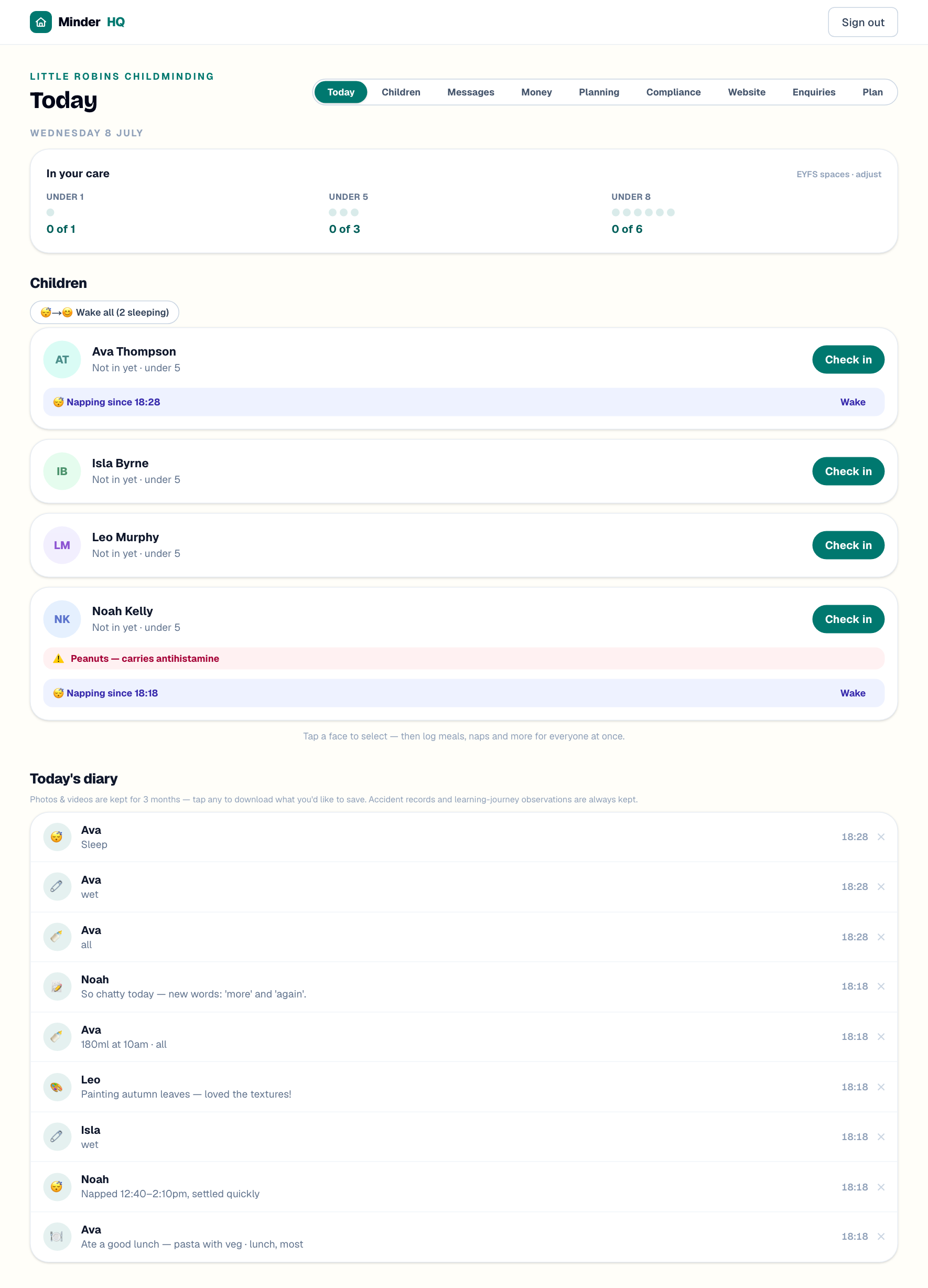
Open MinderHQ and the Today board is what you see first: who is in your care, your EYFS spaces, a card for each child and everything logged so far. Check-ins and check-outs form your attendance register — the record inspectors expect — and the diary is what parents follow at home.
In the app, Today is its own native tab; Manage opens these same views in your full workspace.
Check in, check out
Each card shows where a child is up to — "Not in yet", "In since 08:02", or "Home · 08:00–17:30 · 9.5h" once collected. Hours are totted up from the stamped times, and you can export the register from your Compliance page.
- 1When a child arrives, tap "Check in" on their card — the time is stamped and the meters update.
- 2At pick-up, tap "Check out".
- 3Tap the person collecting — authorised collectors appear as buttons, with their password word if one is saved. Someone else? Type their name.
- 4Tap "Confirm check out".
Tip: Save each family's authorised collectors (and a password word) on the child's profile — at home time they become one-tap buttons.
The ratio meters and their colours
The "In your care" card shows one dot per EYFS space in three bands — "Under 1", "Under 5" and "Under 8" — and fills a dot for every child checked in. Teal means you have space, amber means that band is exactly full, and red means over ratio, with a warning to sort straight away.
- 1Tap "EYFS spaces · adjust" on the "In your care" card.
- 2Change the numbers — solo childminders are 1, 3 and 6, so only raise them with an assistant or an approved variation.
- 3Note why (for example "assistant Amy"), then tap "Save".
Log once for everyone
Meals, bottles, sleeps, nappies, activities and notes all log the same way — for several children at once.
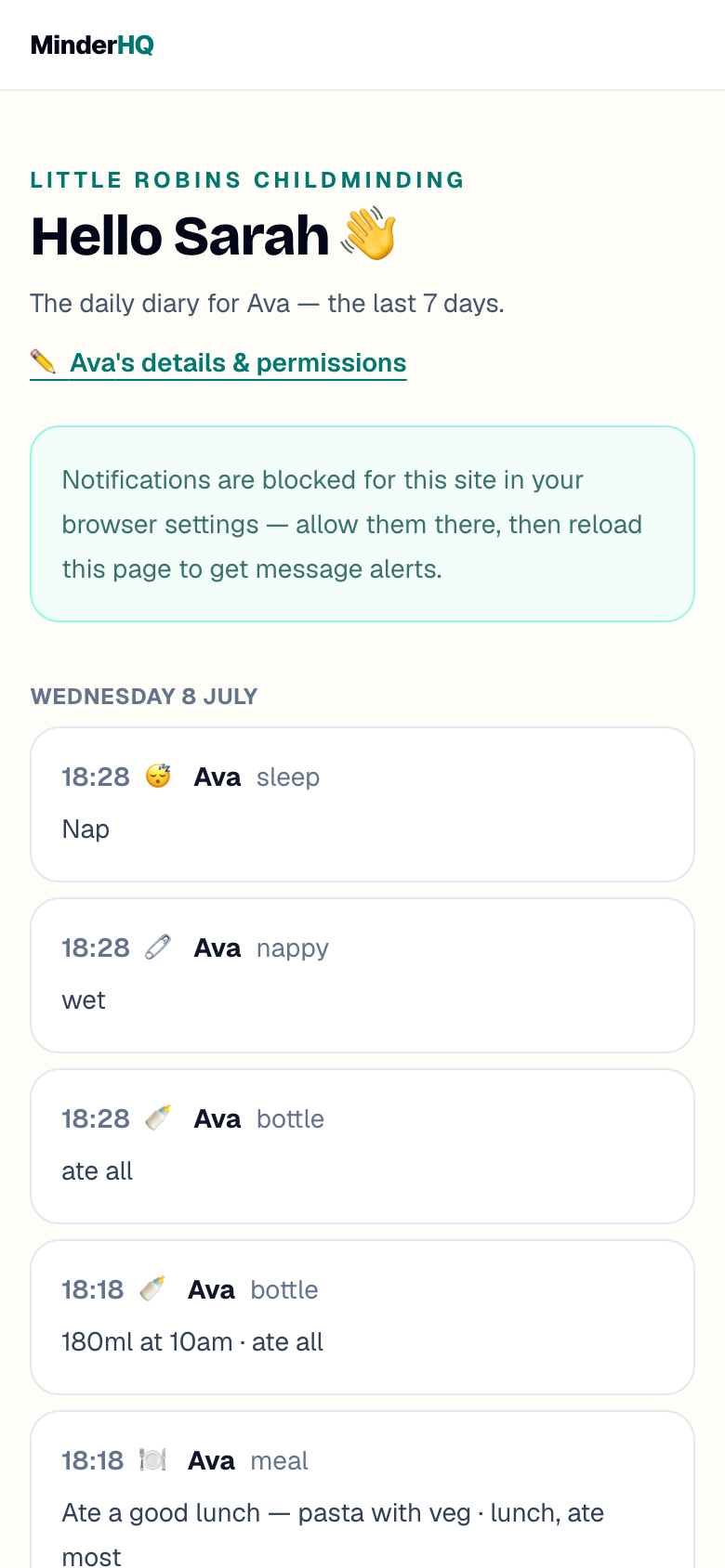
One entry per child lands in today's diary and on each child's parent portal and app, photos included.
- 1Tap a child's face to select them (checked-in children only), or tap "Select all in".
- 2In the "what happened?" bar, pick "Meal", "Bottle", "Sleep", "Nappy", "Activity" or "Note".
- 3Fill in the quick options — meal type and amount eaten, or "Wet", "Soiled" or "Dry" for a nappy — plus an optional note or photo.
- 4Happened earlier? Set the time; leave it empty to mean now.
- 5Tap "Log for 3" — the number is how many you selected.
Sleeps end with a wake
A sleep log starts a nap rather than finishing one: the card shows "Napping since 12:45", and tapping "Wake" stamps the wake time on the diary entry. If two or more are napping, one tap on "Wake all" ends every nap.
Fixing mistakes on the day
Tap any line in "Today's diary" to change its note or time; tap "✕" then "Really delete?" to remove it.
The register is fixable too: tap "⋯" beside a child's times to adjust "Arrived" and "Went home" and "Save times", or tap "Checked in by mistake?" to remove the entry. Forget a checkout and an amber "Not checked out — finish the register" banner appears next time: enter the real home time and tap "Set home time".
Quick answers
Why can't I select a child for logging?
Only checked-in children can be selected, so nothing is logged for a child who is not there — check them in first.
What if someone unexpected collects a child?
Type their name in the "Collected by" box instead of tapping a saved collector — the register records who actually collected.