For parents: your child's day in your pocket
Open your private diary link, enjoy the photos, message your childminder, pay invoices and keep your child's details up to date.
3 min read
Your private link is your key
Your childminder shares your child's day with you through MinderHQ. There's no account to create and no password to remember — your private link is your key. Anyone holding it can read the diary, so keep it to yourself and don't forward it.
The link and the MinderHQ app show the same things — diary, messages, money and your child's details — so use whichever you prefer.
- 1Ask your childminder for your diary link — it usually arrives by text or email.
- 2Tap it and the diary opens in your phone's browser, ready to read.
- 3Got the MinderHQ app? Choose "I'm a parent" and paste the same link.
Tip: Lost the link? Your childminder can reset it and send you a fresh one in a tap.
The diary: your child's day, as it happens
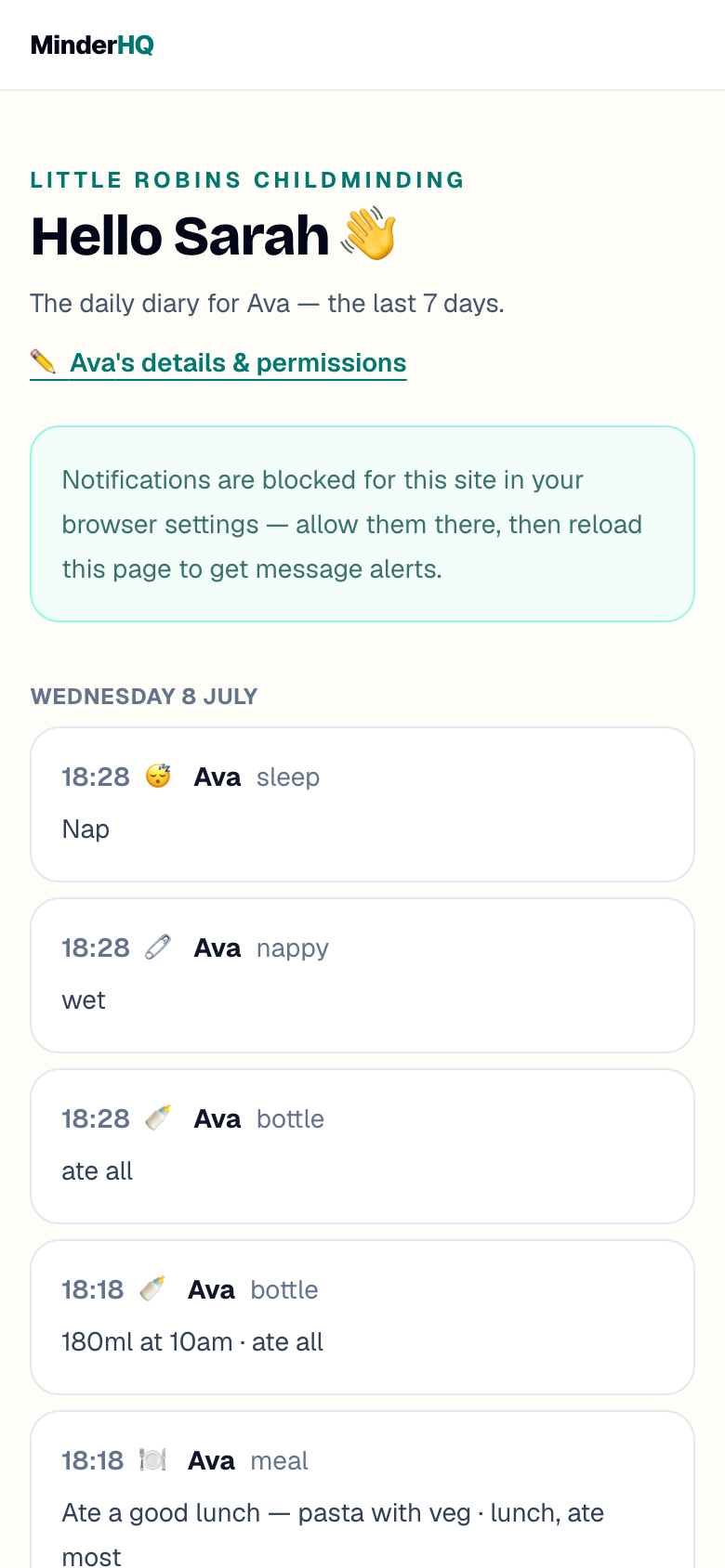
The diary shows the last seven days — meals, bottles, sleeps, nappies, activities and notes, each stamped with the time it happened. Photos appear right in the feed, and they're only ever shared according to the photo permissions you've given your childminder.
Tip: Tap any photo to open it full size.
Message them, or report an absence
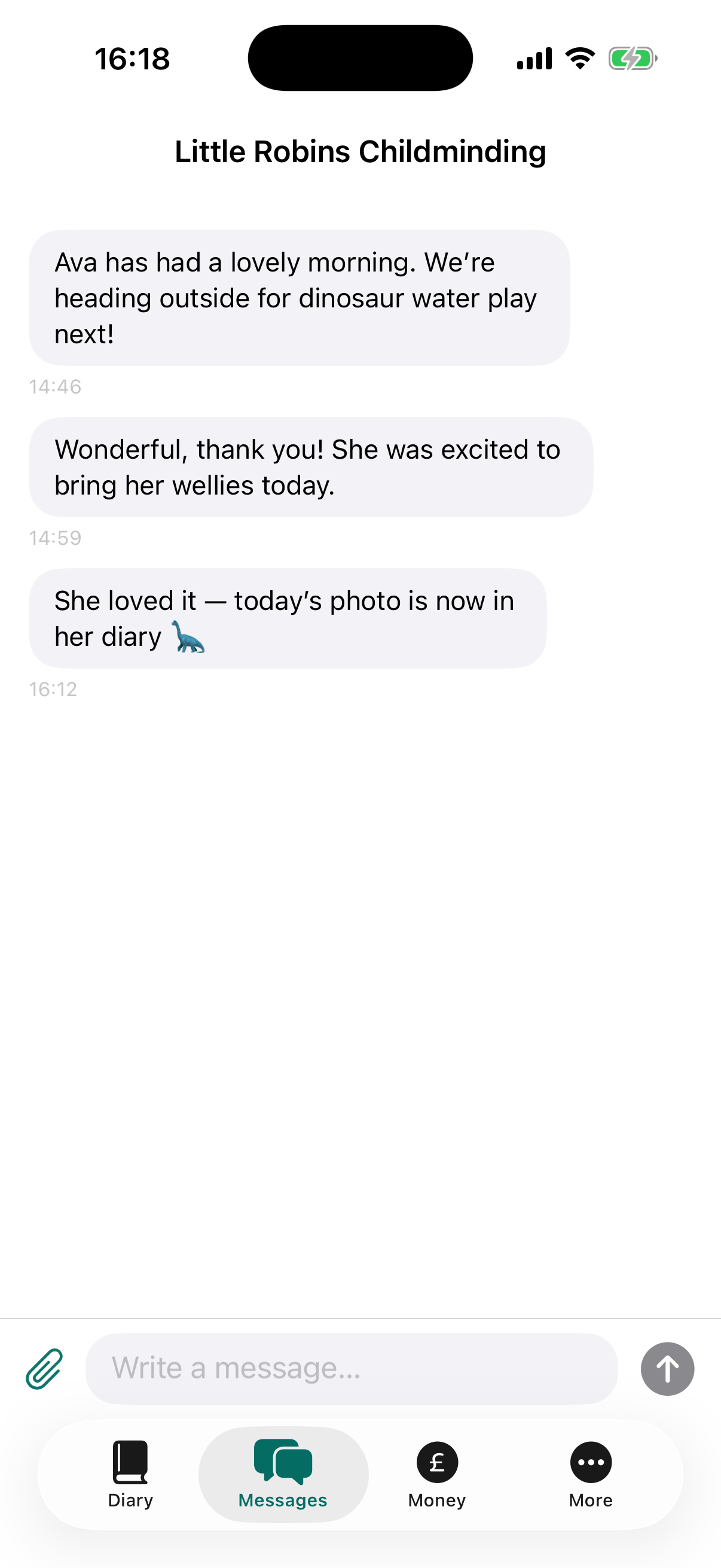
You and your childminder share a private message thread, and reporting time off takes seconds.
- 1To send a message, type in the "Write a message…" box and tap "Send" — replies land in the same thread.
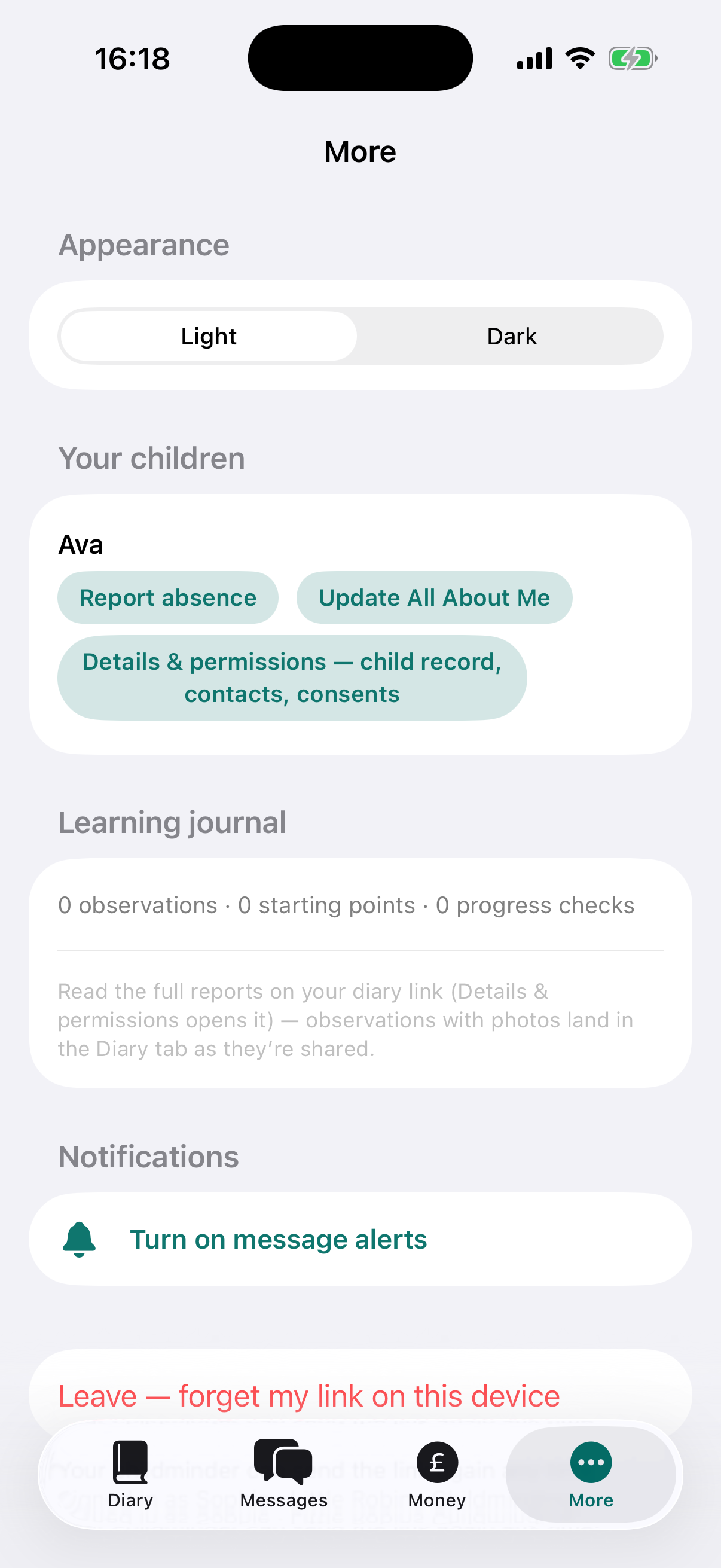
- 2To report time off, find "Report an absence" (in the app: "More", then your child) and pick the "From" date, plus a "To" date for longer breaks.
- 3Choose a "Reason" — "Sick", "Holiday" or "Other" — add a note if you like, then tap "Send".
Invoices, and how to pay
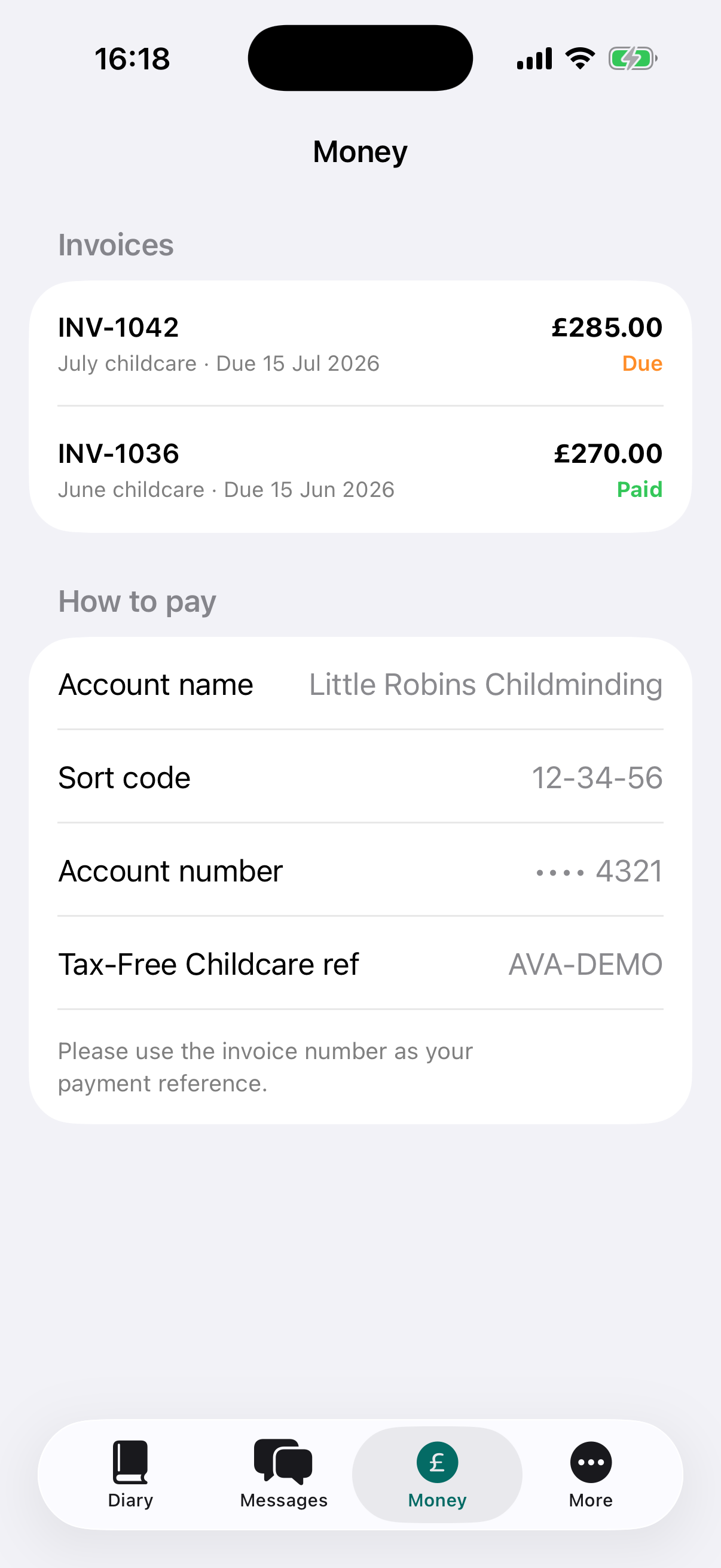
Every invoice lives in one place, marked "Paid" or "Due" — and if you've part-paid, exactly what's left.
- 1Open the "Money" tab in the app, or scroll to "Invoices" on your link.
- 2Tap "View" to see any invoice in full.
- 3Pay by bank transfer using the details under "How to pay", with the invoice number as your reference.
- 4Using Tax-Free Childcare? Pay from your childcare account with the provider reference shown — the government adds 20p for every 80p you put in.
Tip: Tax-Free Childcare transfers aren't instant — send them a couple of working days before the due date.
Tell them all about your child
Two short forms replace the paper pile. "All About Me" helps your childminder settle your child in — routines, comfort things, favourite words — and feeds straight into their learning record. Details & permissions keeps contacts, collectors and allergies up to date.
You can come back and update either form whenever things change.
- 1Tap the "details & permissions" link next to your child's name at the top of your diary (in the app: "More", then your child).
- 2Fill in what you can — emergency contacts, who may collect, allergies, GP — answer each permission "Yes" or "No", then tap "Save [name]'s details".
- 3For All About Me, scroll to "Help us settle [name] in" on the diary page, jot down whatever helps, and tap "Send to your childminder".

Get a buzz when something's posted
Turn on notifications so new messages reach you the moment they're sent — the app also nudges you about diary updates.
Your child's day, one tap from your home screen.
- 1In the app, open "More" and check the "Notifications" card — it tells you whether alerts are on.
- 2Using your link in a browser? Allow notifications when the page asks.
- 3On iPhone, tap Safari's share button, choose "Add to Home Screen", then open the diary from its new icon — Safari only offers notifications from there.
Quick answers
I've lost my link — what do I do?
Ask your childminder to send it again — it only takes them a tap, and a reset link simply replaces the old one.
Can both parents have a link?
Yes — each parent or guardian gets their own private link showing the same diary. Ask your childminder to send one.
Is a link without a password safe?
The link is long and unguessable, photos follow the consents you've given, and photo links refresh each time you open the page — just don't forward it.