Getting paid: bank transfer and Tax-Free Childcare
Add your bank details and TFC reference once, show every parent how to pay, and record payments — including Tax-Free Childcare that lands days later.
3 min read
How getting paid works
MinderHQ doesn't sit between you and your money — parents pay you directly, by bank transfer or from their Tax-Free Childcare account. The app's job is to show every parent exactly how to pay, and to track what has actually arrived. The totals at the top of "Money" — "Outstanding", "Paid this month" and "Overdue" — update as you record payments.
Everything here lives in "Money". In the childminder app, "Today" is the native tab for the day-to-day; "Manage" opens this same Money view.
Set up your Getting paid card
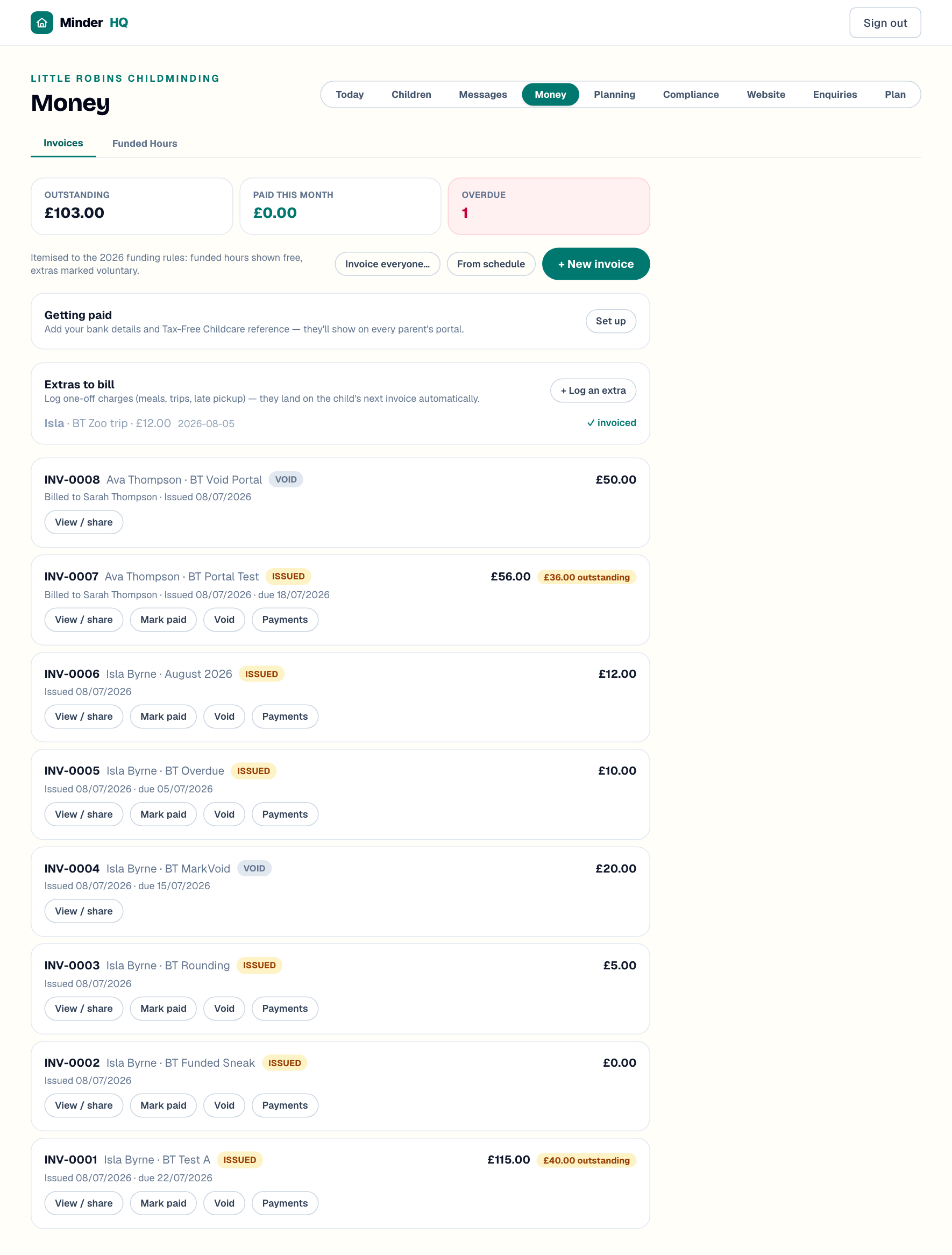
The "Getting paid" card sits just above your invoices. Fill it in once and the details show on every parent's portal — no more texting your sort code.
- 1On the "Getting paid" card, tap "Set up" (it becomes "Edit" once saved).
- 2Enter your "Account name", "Sort code" and "Account number".
- 3Add your "Tax-Free Childcare reference" — the provider reference parents need when paying from a childcare account.
- 4Use "Note for parents (optional)" for anything extra.
- 5Under "Polite chasing", pick "Weekly until paid (recommended)", "Every 3 days until paid" or "Off — I'll chase myself".
- 6Tap "Save payment details" — the card then shows a "Parents see:" preview of exactly what they'll get.
Tip: In your note, ask parents to use the invoice number (like INV-0003) as their payment reference — it makes matching bank credits to invoices much quicker.
What parents see
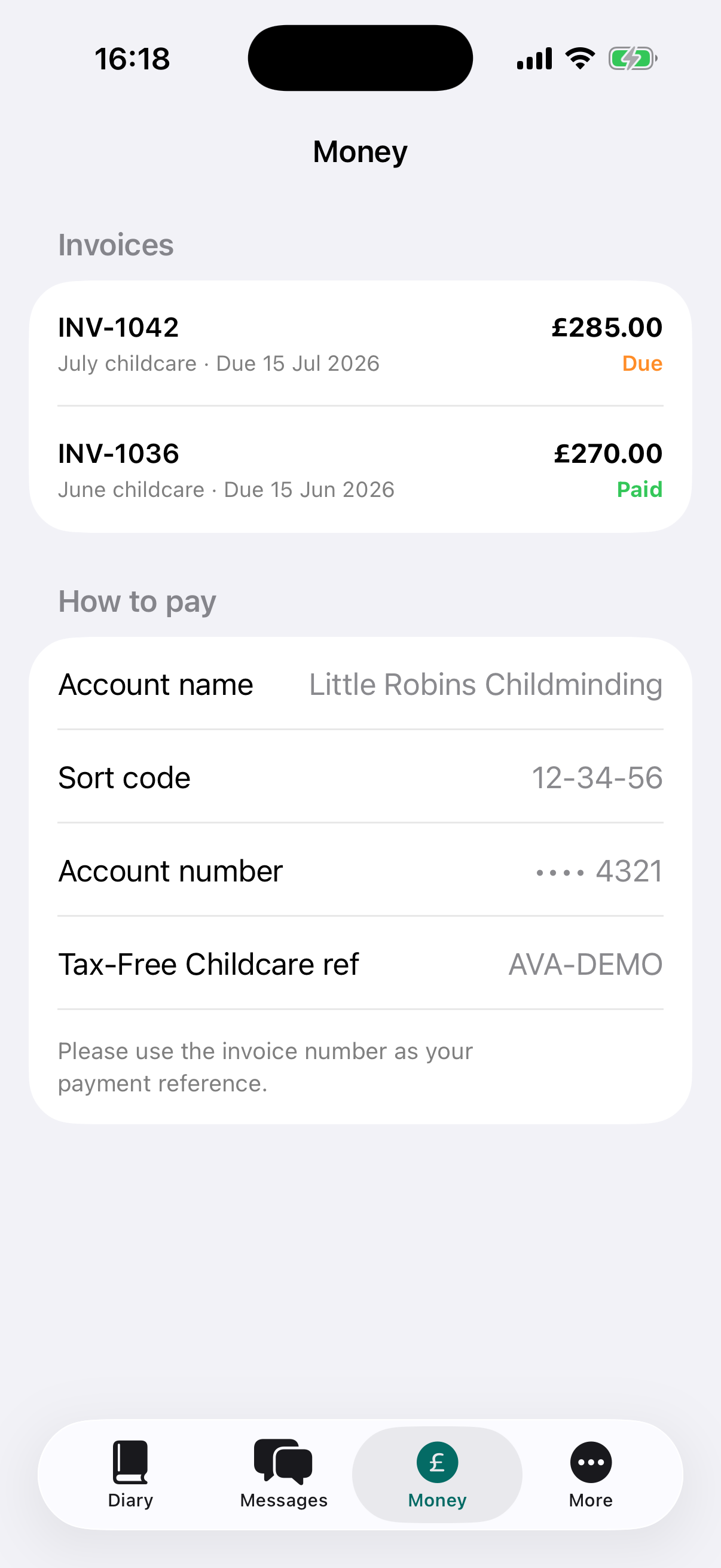
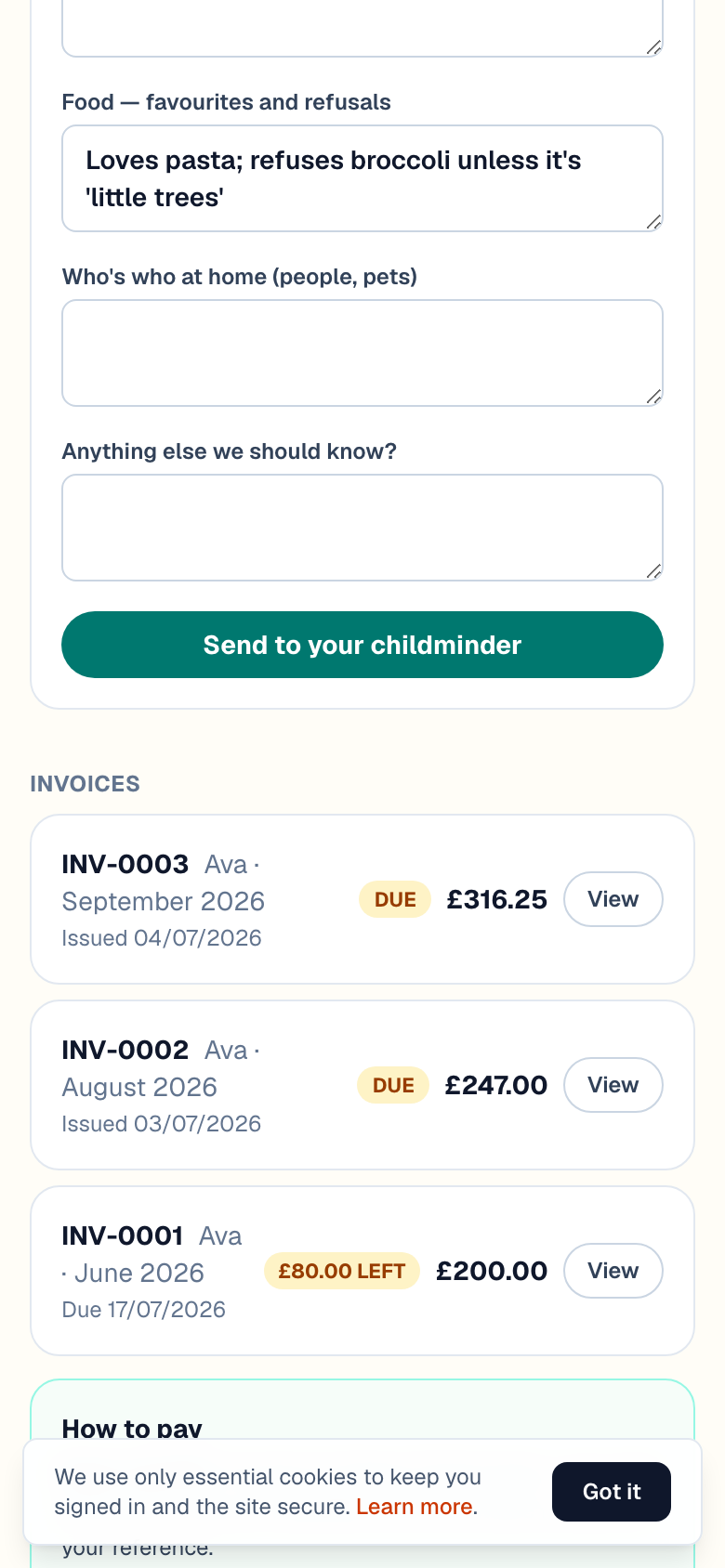
Parents get a "How to pay" section beneath their invoices — on the portal link and in the parent app's Money tab, which show the same things: your account name, sort code, account number, Tax-Free Childcare reference and your note. Each invoice shows its amount and status, and a part-paid one shows how much is left, so parents see the same picture you do.
Record a payment — full or part
When money lands in your bank, record it against the invoice. Part-payments are normal — Tax-Free Childcare often covers some of the bill, with a bank transfer topping it up.
- 1In "Money", find the invoice and tap "Payments".
- 2Check "Amount (£)" — it's pre-filled with what's still owed, so lower it for a part-payment.
- 3Pick "How": "Tax-Free Childcare", "Bank transfer", "Cash", "Card" or "Other".
- 4Add a "Reference" if you have one, and set "Received" to the day the money arrived.
- 5Tap "Record payment".
Tip: The invoice marks itself paid as soon as recorded payments cover the total — no separate step. Until then it stays issued, with an amber badge showing what's outstanding.
Tax-Free Childcare arrives a few days later
Tax-Free Childcare money doesn't move the instant a parent pays — it leaves their childcare account and can take a few working days to reach your bank, often under its own payment reference rather than the parent's name. Don't mark the invoice paid on a parent's say-so: wait for the money, then record it with "How" set to "Tax-Free Childcare" and the reference from your bank statement in "Reference".
If TFC covers part of the invoice and the parent tops up by bank transfer, record two separate payments — the invoice ticks over to paid on its own once they add up. If the full amount arrives in one go, "Mark paid" does it in one tap ("Undo paid" reverses a slip), and the ✕ next to any recorded payment removes one logged by mistake.
Quick answers
Do parents pay through the app?
No — money goes straight to your bank by transfer or Tax-Free Childcare. MinderHQ shows parents the right details and tracks what has arrived.
Can I stop the overdue reminders?
Yes — tap "Edit" on the "Getting paid" card and choose "Off — I'll chase myself". Otherwise MinderHQ nudges parents weekly, or every 3 days, until the invoice is paid.
A parent paid the wrong amount — what now?
Record what actually arrived — the invoice shows the difference as outstanding and marks itself paid once later payments cover the total.