Children: profiles, contacts, collectors and consents
Add each child, complete their profile, and keep emergency contacts, authorised collectors and consents up to date — all in one record.
3 min read
One record per child
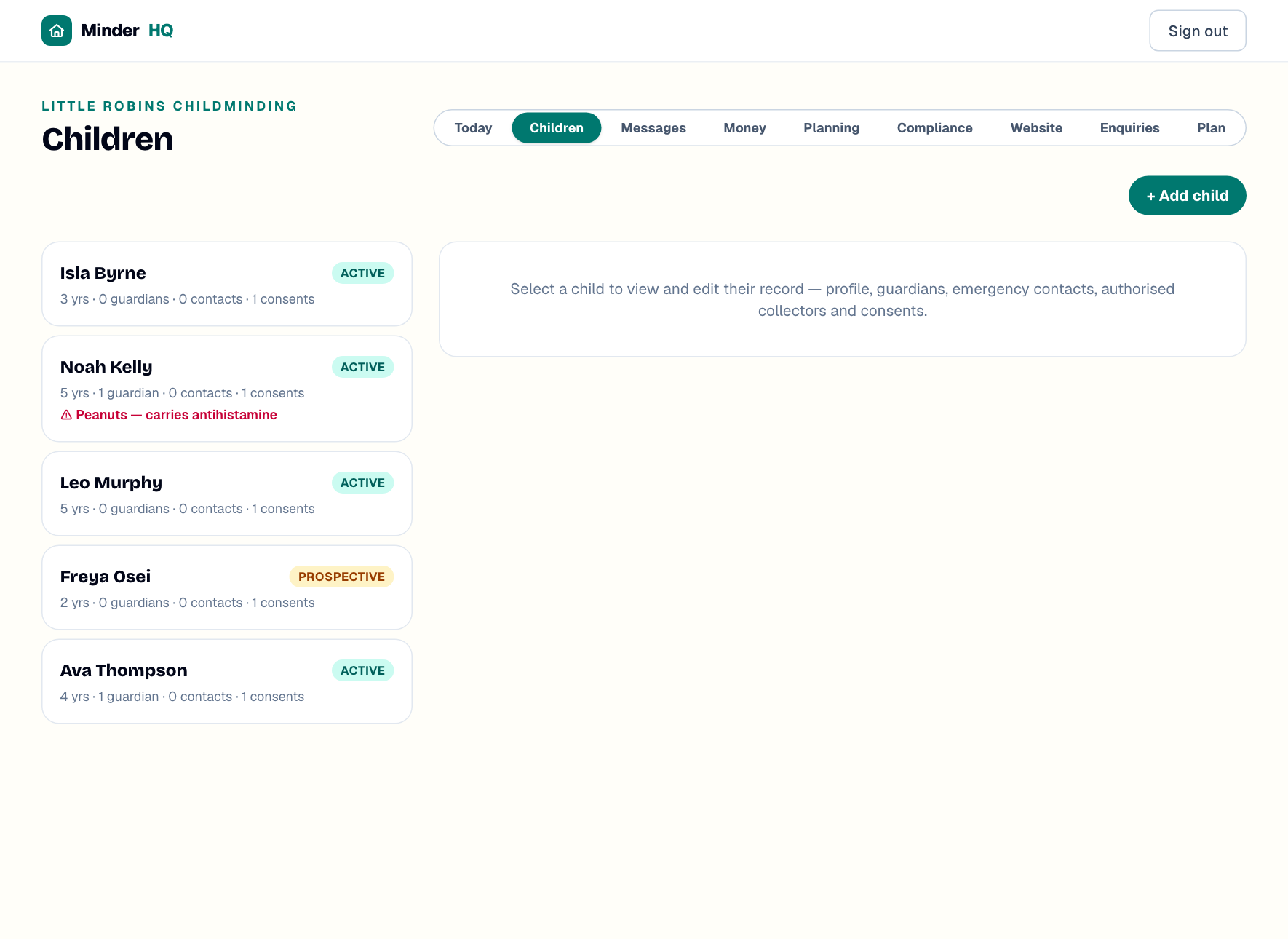
Everything about a child lives in one place. Open "Children" to see the list — each card shows the child's age, how many guardians, contacts and consents you've recorded, and a red allergy warning where you've noted one.
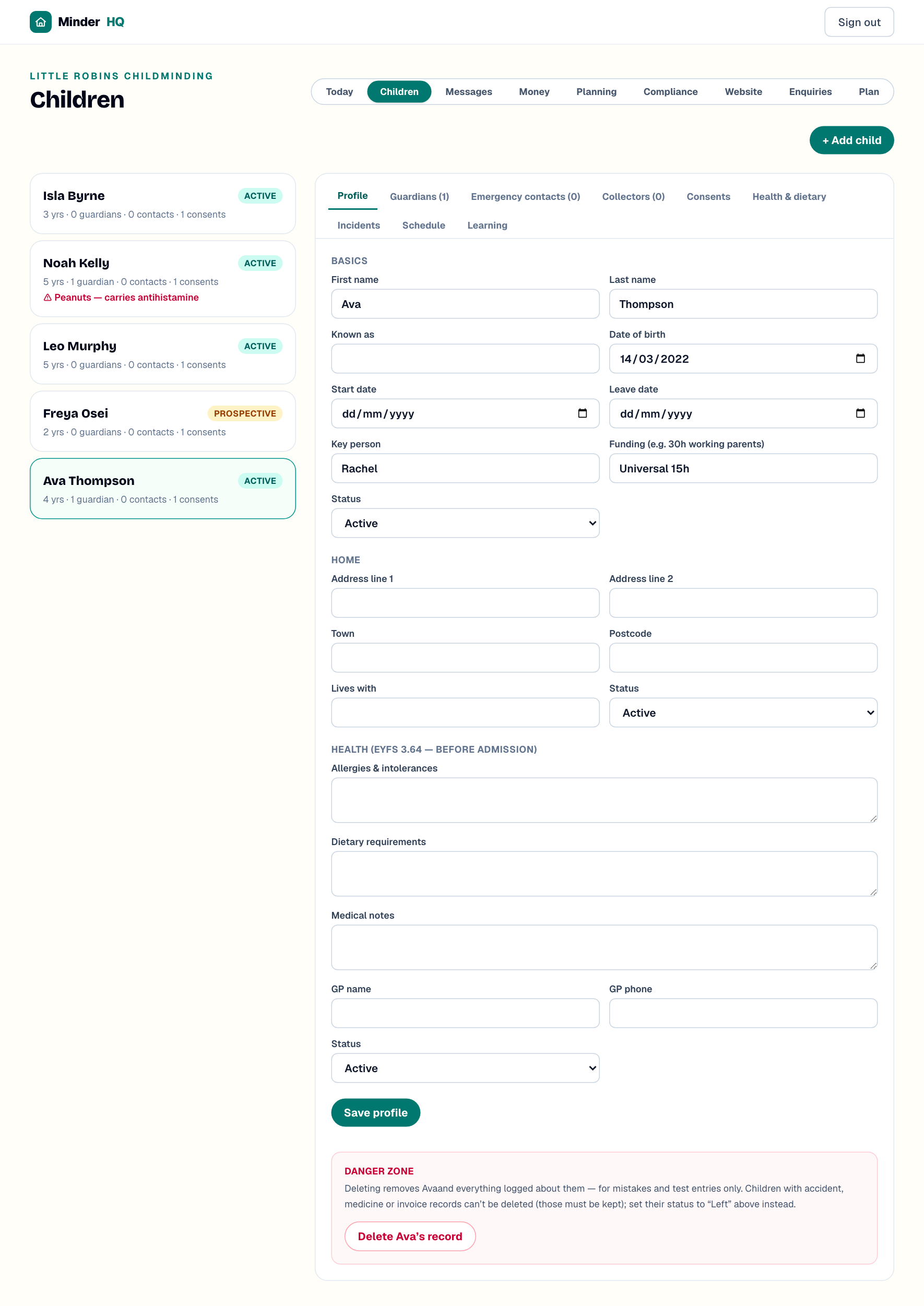
Select a child to open their record — tabs for "Profile", "Guardians", "Emergency contacts", "Collectors", "Consents", "Health & dietary" and more. In the app, Today is the native tab; tap "Manage" to reach these same views. Guardians and parent portal invites have their own article.
Add a child
You only need a name to start — everything else can wait until settling-in.
- 1In "Children", tap "+ Add child".
- 2Enter "First name" and "Last name".
- 3Add "Date of birth" — the ages shown across the app come from it.
- 4Set "Start date" and "Status": "Prospective" until their first day, "Active" after.
- 5Tap "Save child" — the new record opens ready to fill in.
Complete the profile
The "Profile" tab has three groups. "Basics" covers names ("Known as" is what everyone actually calls them), key dates, "Key person" and the funding field. "Home" takes the address and "Lives with". "Health (EYFS 3.64 — before admission)" is the part to finish before day one: "Allergies & intolerances", "Dietary requirements", "Medical notes", "GP name" and "GP phone".
Tap "Save profile" after any change. Whatever you put in "Allergies & intolerances" becomes the red warning on the child's card.
Emergency contacts
These are the people you ring when a parent isn't reachable. The EYFS (3.96) asks for more than two per child where possible, so this tab shows an amber reminder until a child has three.
- 1Open the child's "Emergency contacts" tab.
- 2Fill in "Name", "Phone" and "Relationship".
- 3Set "Priority" — number 1 is who you'd ring first.
- 4Tap "Add contact". Use "Remove" to take someone off.
Collectors and the password word
Collectors are the adults allowed to take a child home. The EYFS (3.87) says a child may only be released to someone the parent has explicitly notified — and a collection password is the sector convention. The family choose a word, share it with anyone they send, and you only hand over to a person who knows it.
- 1Open the "Collectors" tab.
- 2Enter "Name", "Relationship" and "Phone".
- 3Type the family's agreed word in "Collection password".
- 4Tap "Add collector".
- 5Tap "Deactivate" beside anyone who should no longer collect — "Reactivate" restores them later.
Tip: Agree the password word at settling-in, while the parent is with you. If an unexpected adult arrives without it, keep the child with you and ring the parent — never release on a name alone.
Consents: what each permission controls
The "Consents" tab lists every standard permission. Each starts as "Not asked" — tap "Granted", "Declined" or "Withdrawn" to record the parent's answer, or "Reset" if you recorded one by mistake. The date is saved with each answer.
The three photo permissions are deliberately separate, and the app enforces them — a photo permission that isn't granted blocks that use. "Photos shared with you" covers the family's own private diary, "Group photos" lets the child appear in photos other families receive, and "Marketing photos" covers your website and social media — always the parent's separate choice.
The rest — "Local outings & walks", "Car journeys", "Emergency medical treatment", "Sun cream", "Nappy cream / toiletries", "Plasters", "Face paint", "Water play", "Contact with pets / animals" and "Time with the assistant" — mirror the paper forms you already know. Record what you hold now, and update it the moment a parent changes their mind.
Quick answers
Can I delete a child's record?
Only for mistakes and test entries. The danger zone at the bottom of "Profile" asks you to type the child's first name to confirm. Children with accident, medicine or invoice records can't be deleted — those must be kept — so set their "Status" to "Left" instead.
What's the difference between a guardian and a collector?
A guardian is a parent or carer linked on the "Guardians" tab, with their own portal access. A collector simply picks the child up — a grandparent, say — no login needed, just an entry here with the password word.